The private, local AI note taker for Mac
Speak freely. A structured note appears. Nothing leaves your Mac.
Record your meetings, interviews, and calls. NoteGenerator turns each one into a structured note — entirely on your Mac, after a one-time setup.
No account. Needs an Apple silicon Mac (M1 or later — check About This Mac); 16 GB memory for the AI-written note.
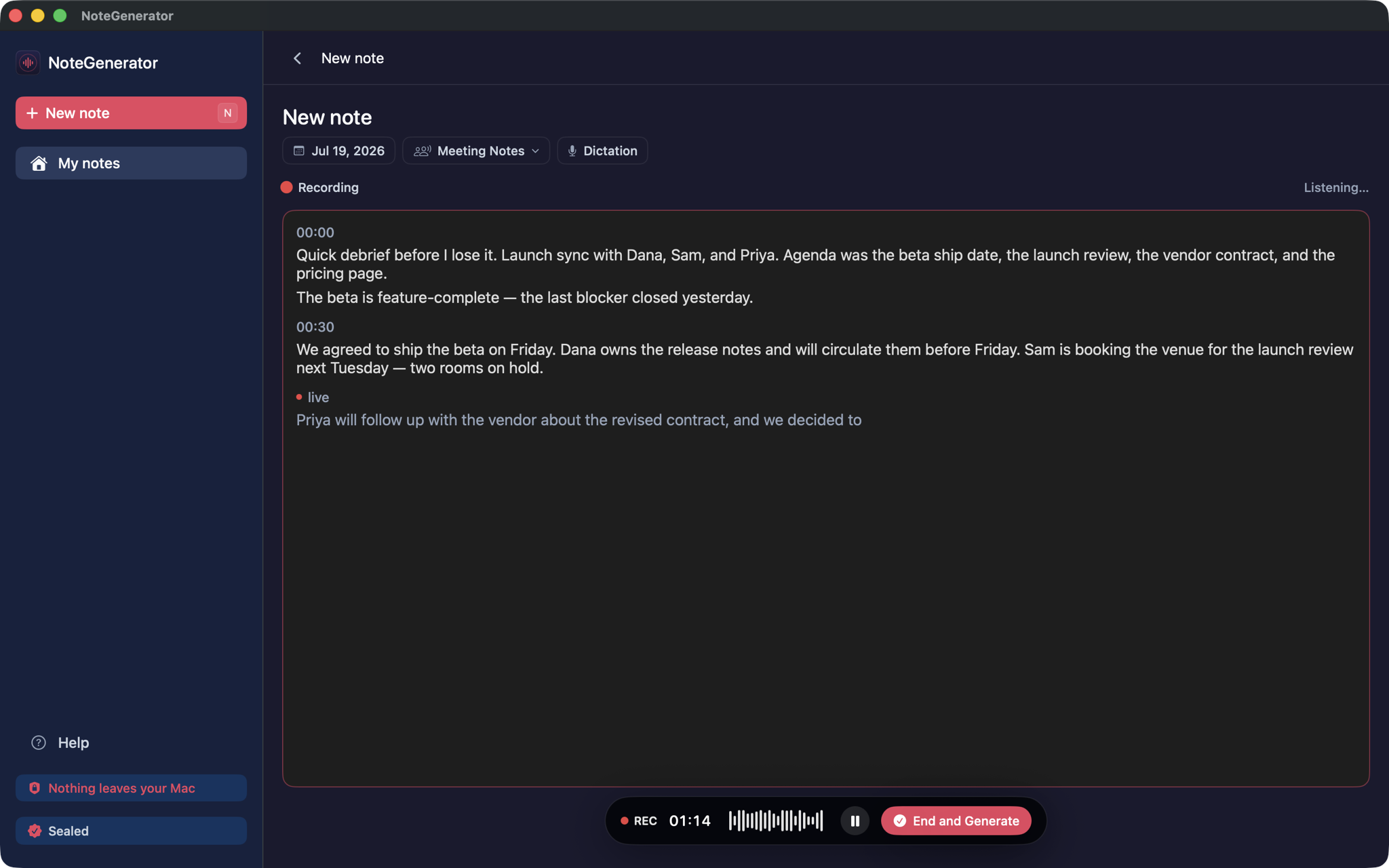
Who it’s for
For the conversations you keep close.
Interviews, client meetings, personnel one-on-ones — the talks that shouldn’t become someone else’s data.
Journalists & researchers
Source interviews, turned into notes and quotes you can work from.
Built for this work →Legal & client teams
A faithful record of the client meeting, ready to file.
Built for this work →Consultants & people leaders
1:1s and personnel debriefs, structured while they’re fresh.
Built for this work →Also HR one-on-ones, board and executive sessions, and deal rooms — anywhere a conversation should stay in the room.
Their answer is paperwork. Ours is physics.
The cloud notetaker’s answer
Paperwork.
- A promise not to keep your data.
- A promise not to train their AI on what you said.
- Contracts about how it’s handled, and security audits you take on faith.
Promises about a copy of your conversation that still lives on someone else’s servers.
Our answer
Physics.
- No server holds a copy of what was said — so there’s nothing to make promises about.
- And nothing to train someone else’s AI on: not a promise not to, there’s simply no copy to use.
A protection you can watch, not a policy you have to trust.
Three steps — and the last one runs itself.
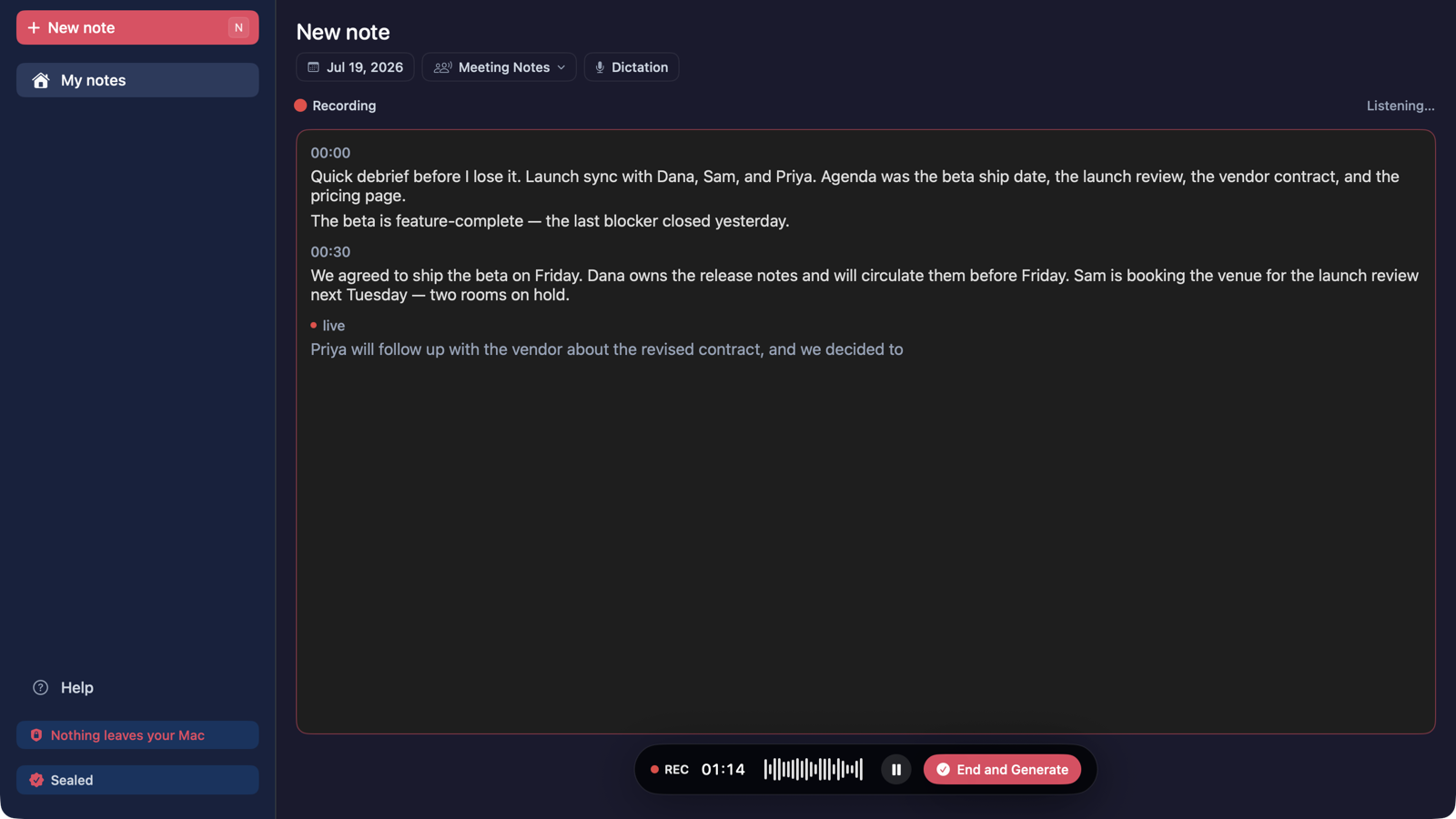
Step 1
Record
A keyboard shortcut or the menu bar starts it — no bot joins the call, so there’s nothing for your IT to block. A timer and live transcript show it’s listening.
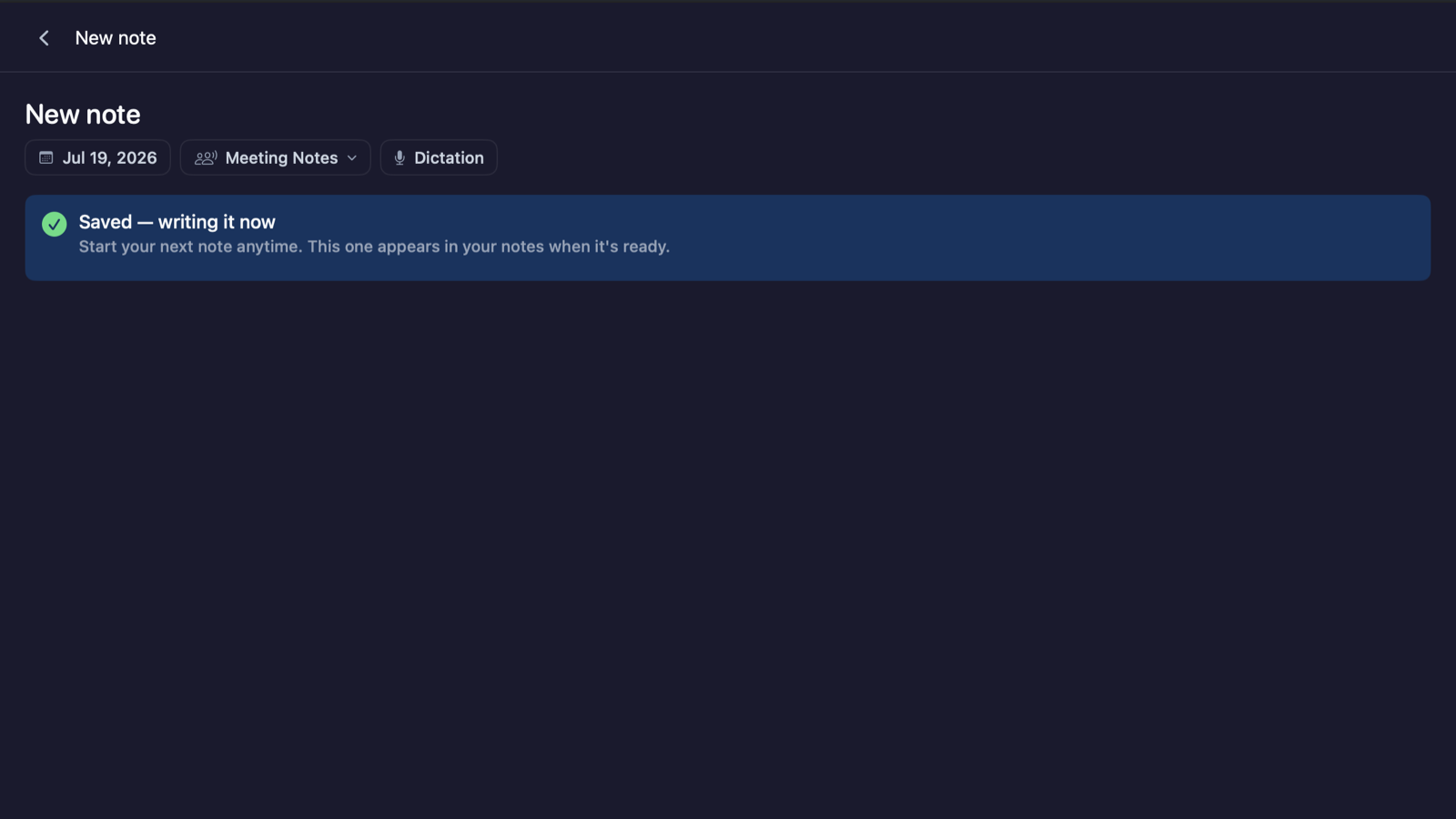
Step 2
End & Generate
One command hands the recording to the AI on your Mac, and you’re on to the next thing — the note finishes on its own.
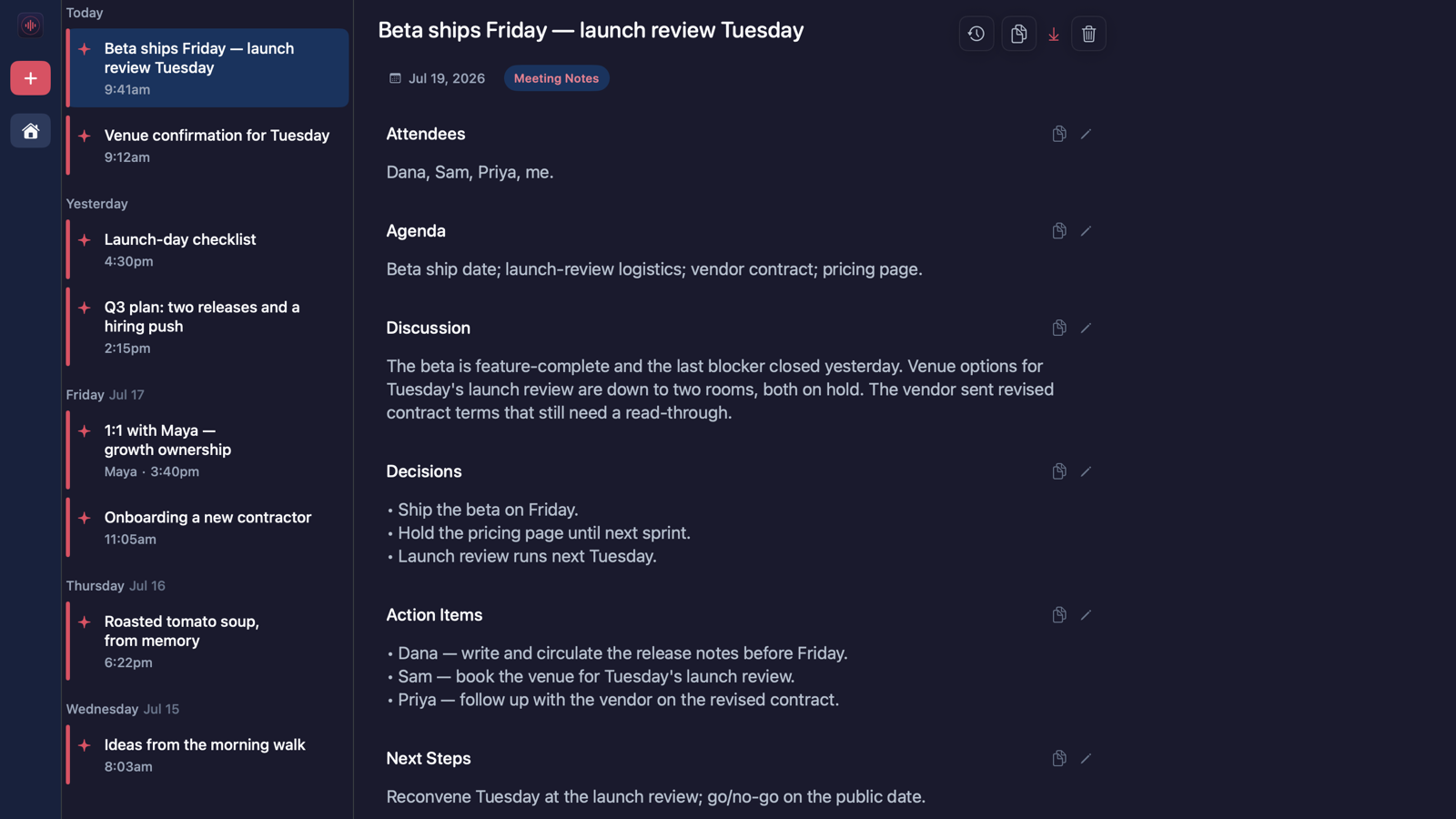
Step 3
The note
The finished note appears — stored in your local library and encrypted at rest.
Provable, not asserted
Don’t take our word for it. Watch the connection counter say zero.
The app shows how many times it reached the network this session — and gives you a test you can run yourself.
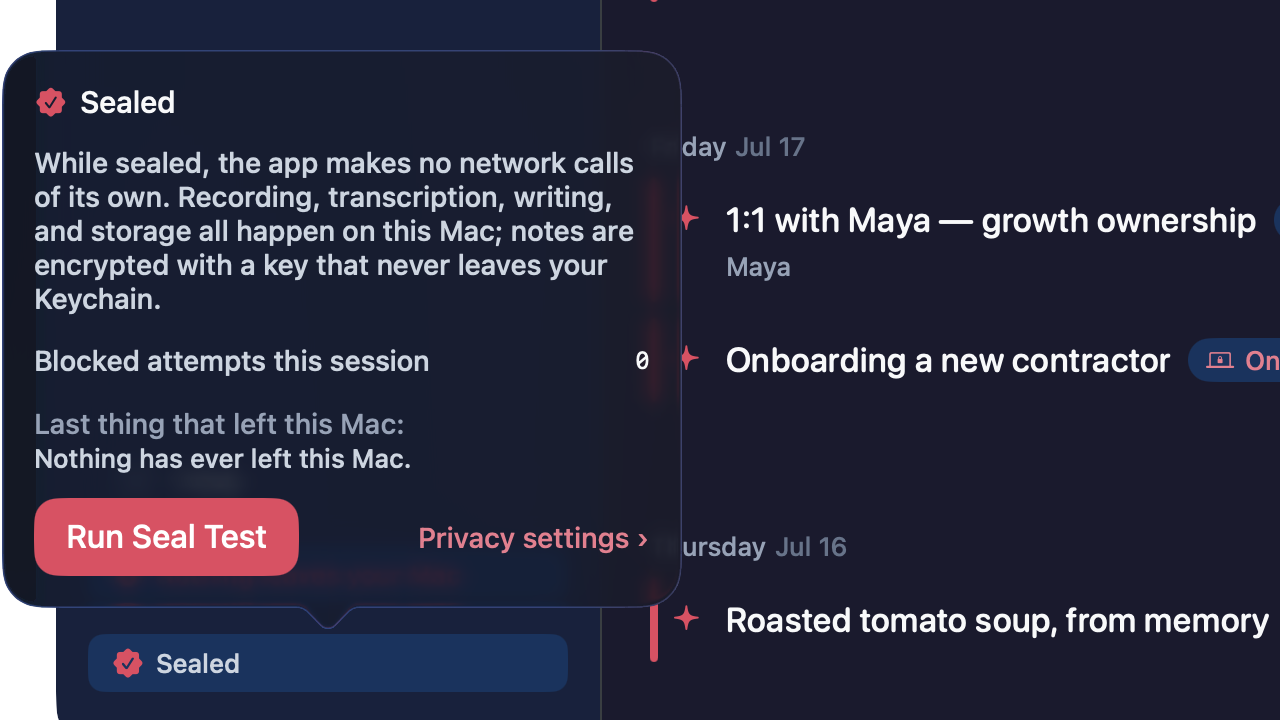
A live counter, not a promise
The app shows the number of network connections it has made this session. Once it has switched off its own ability to reach the network — what we call the seal — and the note-writing AI is installed, that number is 0, and you can watch it.
A one-tap Seal Test
Press it and the app tries to open a network connection to itself. You watch the attempt start and die before it ever reaches the network. Proof you ran yourself beats a badge we drew.
Turn off Wi-Fi. It keeps working.
Offline by architecture: recording, transcription, and note generation run with the network off. The most direct test there is.
Nine note types. It picks the right one for you.
It detects the type and structures the note to match — from a recipe to a standard operating procedure.
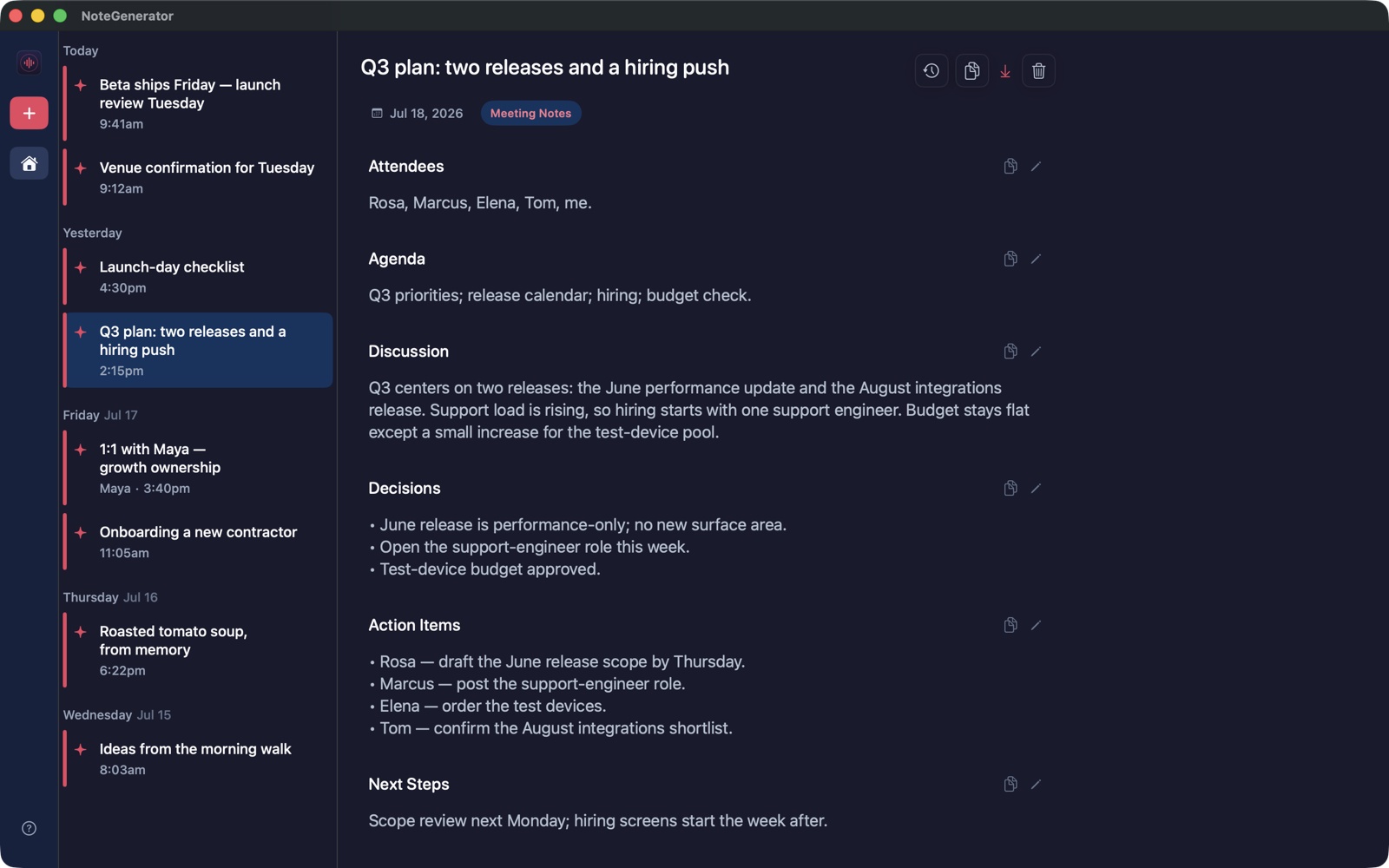
Attendees, decisions, action items, next steps. The flagship.
- General
Anything spoken, structured into a clean note.
- Email
Dictate the gist; get a draft to edit and send.
- Interview Notes
Source conversations, kept off servers.
Built for this work → - Client Memo
A record of the client meeting, on a machine you control.
Built for this work → - 1:1 Debrief
Personnel conversations that never belong in a vendor cloud.
Built for this work → - Checklist
Spoken steps become a checkable list.
- Recipe
Talk through a dish; get ingredients and method.
- SOP
Standard operating procedures from a walkthrough.
Buy it once. It’s yours.
$149$4967% off
Founding price, once. Or $9.99/mo with every update included while you subscribe.
No meters, no per-seat cloud bill. The mechanics matter more than the number:
- Install it on up to two Macs — deactivate one yourself anytime to swap in a new one.
- It’s yours forever: the one-time purchase never stops working.
- Your notes, library, and export never lock — not on trial expiry, not ever.
Frequently asked questions
Answers — including the ones that are “not yet.”
What is NoteGenerator?
NoteGenerator is a private, local AI note taker for Mac (Apple silicon). It records speech and writes structured notes — meeting notes, email drafts, interview notes, memos, checklists — entirely on your Mac. After a one-time setup, nothing leaves it, and it works with Wi-Fi off. $49 introductory, once, or $9.99/mo. Mac-only today; Windows is planned.
When is it true that "nothing leaves your Mac"?
After a one-time setup — once the on-Mac AI is installed and the app has switched off its own ability to reach the network (what we call the seal). From then on, recording, transcription, note generation, and storage all happen on your Mac, and a live connection counter lets you check. See the specs page.
So what does leave my Mac, and when?
Four named exceptions, none carrying your content: the one-time download of the note-writing AI — software coming to your Mac, carrying nothing of yours; trial or license activation — a single connection sending a one-way code tied to your Mac and the app version so your license can prove itself (activating a purchase also sends your license key), never your name, email, or content; the code can’t reveal what you write, but as a persistent identifier of your device we treat it as personal information; software-update checks — on by default, sending only the app version, with an off switch in Settings; and links you choose to open in your own browser. Full list on the specs page.
Do you have my audio? Does audio touch the disk?
We never receive your audio — there is no server for it to reach. While you record, audio is handled in your Mac’s working memory. We don’t yet claim it never touches the disk — that needs a proof we haven’t published.
Is there an account or a login?
No. The app has no accounts, no login, no cloud sync, and no meters — your license is a file on your Mac that proves itself without contacting a server. You do give an email to download the app and to buy (that’s how we send your license key, product updates, and the occasional pitch — every marketing email with a working unsubscribe), but you never sign in, and starting the free week needs no card.
If I stop paying, do I lose my notes?
No. Your notes, library, search, and export never lock — only new note generation pauses. See how records never lock.
What if my Mac dies?
Make an encrypted backup and restore it on a new Mac with the passphrase alone. We hold no copy — lose the passphrase and we can’t recover it.
First version
Try it for a week. No account, no card.
Download, drag to Applications, done. The free week is a real license.
Runs on a Mac with Apple silicon (M1 or later). 16 GB of memory recommended — with less, you get the transcript but not the AI-written note.
Not sure? Apple menu → About This Mac. You’re looking for an Apple chip (M1 or later); 16 GB or more of memory gets you the AI-written notes.
The AI that writes your notes runs entirely on your Mac, and it is big. That’s why we recommend 16 GB — with less, you can still record and get transcripts, but the note-writer needs the memory. It’s the cost of nothing leaving the machine.
Older Mac, or not a Mac at all? Tell us what you’re on — it’s how we decide what to build next.
Notarized by Apple — the first-launch dialog confirms Apple checked this exact app and found no malicious software. No account needed — the app has no login.