For consultants & advisors
No vendor cloud to supervise.
For consultants, registered investment advisers (RIAs), and wealth managers: client conversations become structured notes on a machine you control, with nothing for a compliance team to inventory in someone else’s data center.
Runs on a Mac with Apple silicon (M1 or later). 16 GB of memory recommended — with less, you get the transcript but not the AI-written note.
Sources
Regulatory scrutiny of cloud AI notetakers in the advisory world is documented and dated. Verify against the source before relying on it.
WealthTech Today — SEC/FINRA scrutiny of cloud notetakers · Jul 29, 2025
Reporting on regulators’ attention to cloud AI meeting-notetakers and the supervision and recordkeeping questions they raise for advisers.
Microsoft Teams external-notetaker bot auto-blocking · From Aug 2026
Organization-wide blocking of external AI notetaker bots begins (set by company IT at the Microsoft 365 level), closing a common way advisers who meet on Teams record them.
Every citation is dated. Verify it against the live source before relying on it.
This page describes how the software works — it is not legal advice. NoteGenerator keeps your recording off the maker’s servers; it does not by itself preserve privilege or make a recording lawful. Confirm your own jurisdiction’s rules on AI use, recording, and consent.
The templates for this work
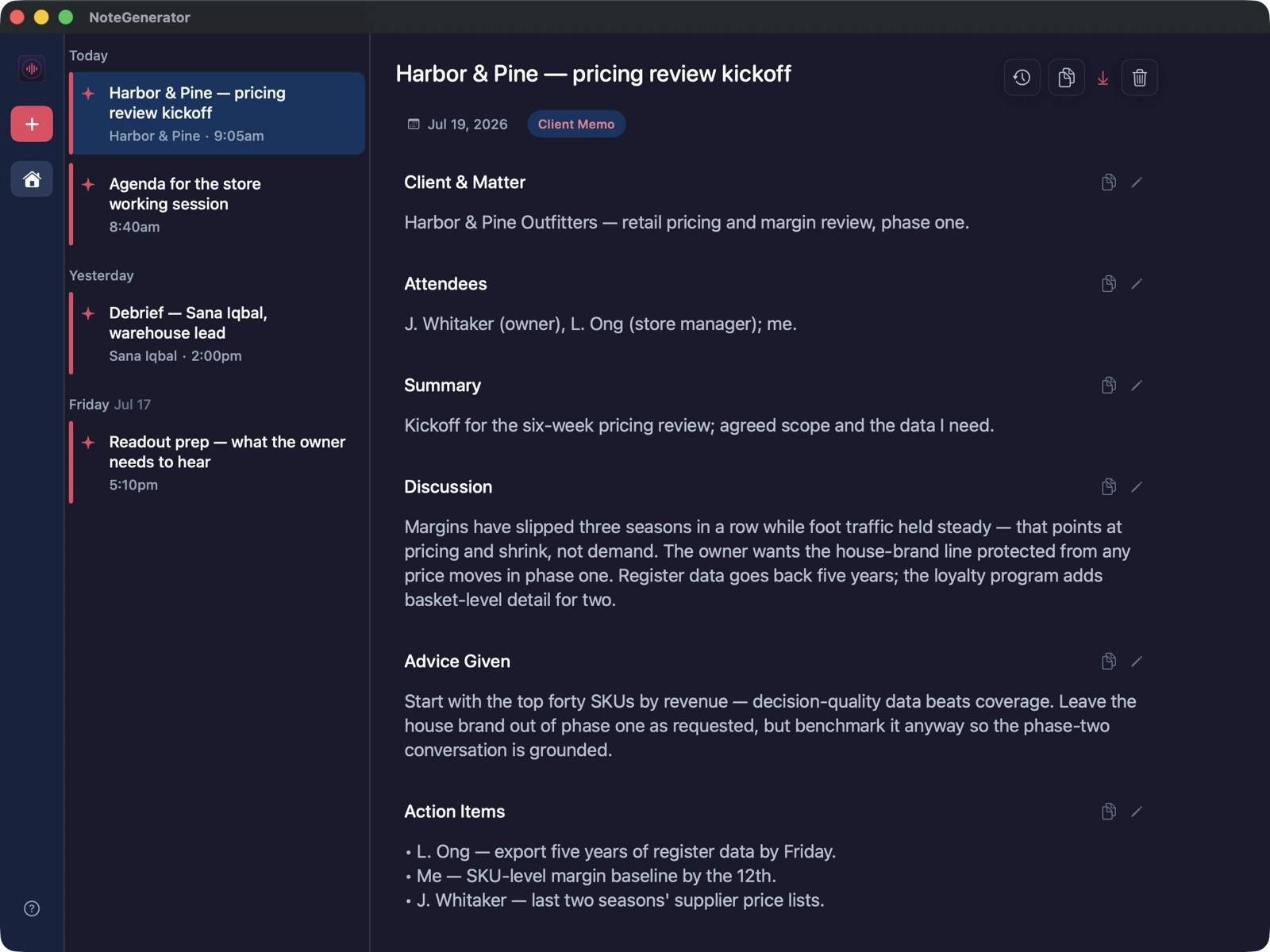
A client meeting becomes a Client Memo. A personnel or partner conversation becomes a 1:1 Debrief — the kind of record that should never live in a vendor cloud.
A record of the client meeting, on a machine you control.
Personnel conversations that never belong in a vendor cloud.
Provable, not asserted
Don’t take our word for it. Watch the connection counter say zero.
The app shows how many times it reached the network this session — and gives you a test you can run yourself.
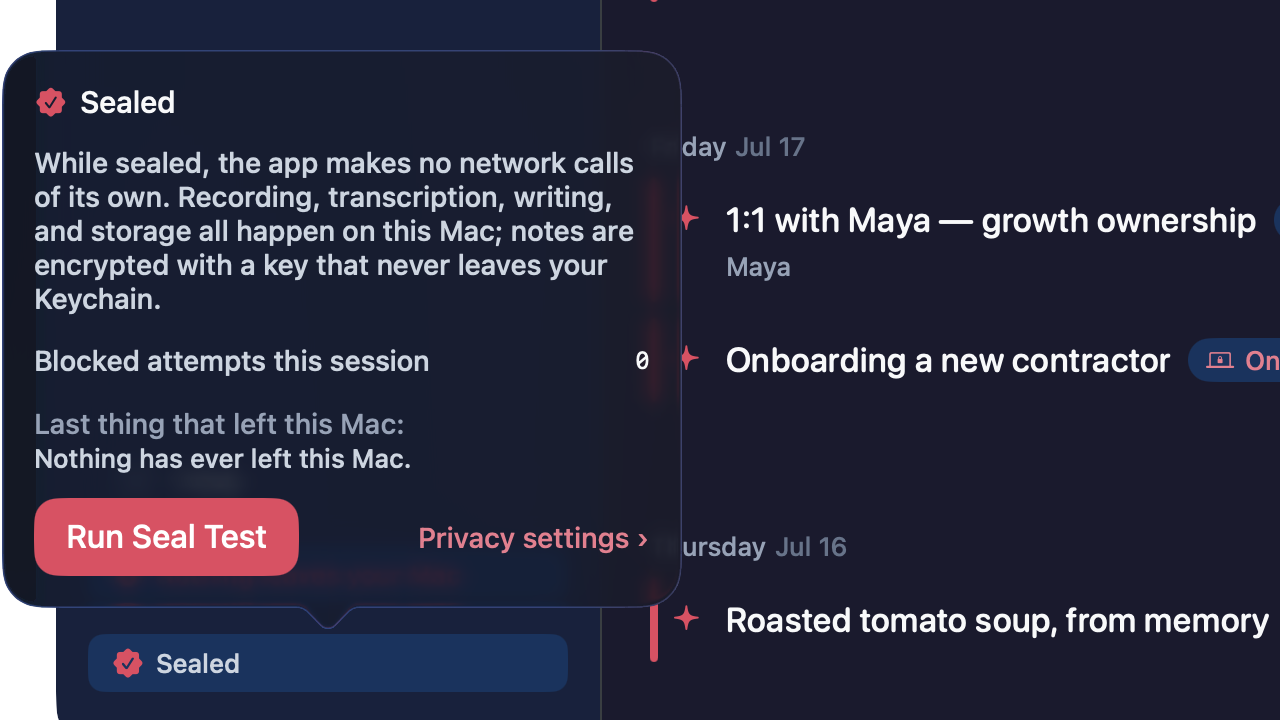
A live counter, not a promise
The app shows the number of network connections it has made this session. Once it has switched off its own ability to reach the network — what we call the seal — and the note-writing AI is installed, that number is 0, and you can watch it.
A one-tap Seal Test
Press it and the app tries to open a network connection to itself. You watch the attempt start and die before it ever reaches the network. Proof you ran yourself beats a badge we drew.
Turn off Wi-Fi. It keeps working.
Offline by architecture: recording, transcription, and note generation run with the network off. The most direct test there is.
- No bot joins the call, so there is nothing for company IT to block — recording runs on your own Mac.
First version
Try it for a week. No account, no card.
Download, drag to Applications, done. The free week is a real license.
Runs on a Mac with Apple silicon (M1 or later). 16 GB of memory recommended — with less, you get the transcript but not the AI-written note.
Not sure? Apple menu → About This Mac. You’re looking for an Apple chip (M1 or later); 16 GB or more of memory gets you the AI-written notes.
The AI that writes your notes runs entirely on your Mac, and it is big. That’s why we recommend 16 GB — with less, you can still record and get transcripts, but the note-writer needs the memory. It’s the cost of nothing leaving the machine.
Older Mac, or not a Mac at all? Tell us what you’re on — it’s how we decide what to build next.
Notarized by Apple — the first-launch dialog confirms Apple checked this exact app and found no malicious software. No account needed — the app has no login.